New Storage and Backup
Update
It has been a while since I've worked on the cluster and am increasingly finding that experimenting with new stuff expects some services that are native in cloud, but simply not available in my baremetal setup.
These include things like:
- S3 compatible storage.
- Volume snapshotting.
- And enough 'grunt' to scale a bit larger than my Raspberry Pi 4 units can go.
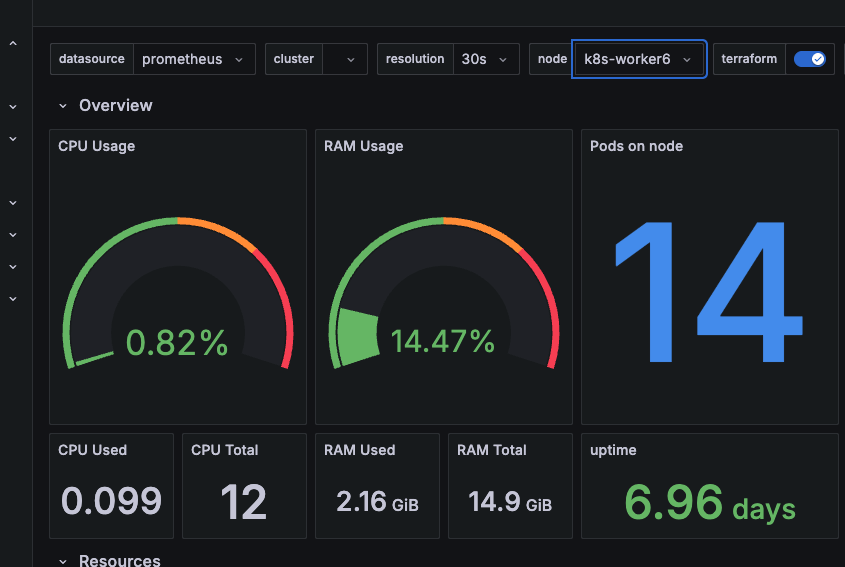
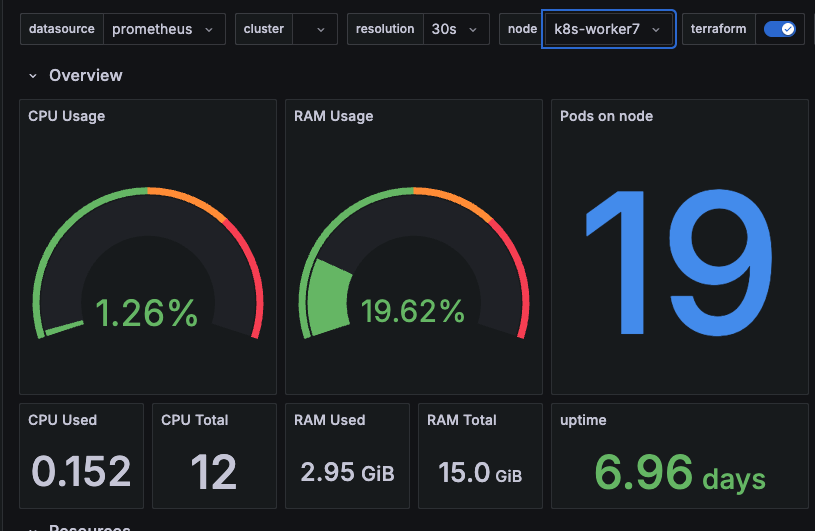
So... I've added some mini pcs to the group with both some dedicated storage and the cluster is now using both Arm64 and Amd64 architecture.
Storage Setup with Rook
Because these systems have SSD drives, I've decided to look into one of the more well known storage options in Rook that uses Ceph as the underlying storage provider, wrapping all the complexity up nicely into Kubernetes native stuff I can use.
Setting this all up was a little complex but as I was mainly looking for a more robust block storage solution for PVC claims than NFS, I've focused on that for now.
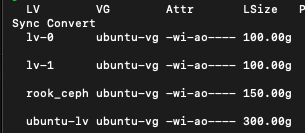
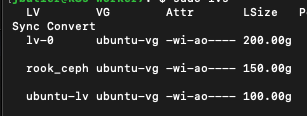
Firstly I made sure to leave space for a logical volume called 'rook-ceph' of 150G on each host, and then after the helm deployment was complete, made sure to target these two nodes as a new storage group:
apiVersion: ceph.rook.io/v1
kind: CephCluster
metadata:
  name: rook-ceph
  namespace: rook-ceph
spec:
  cephVersion:
    image: quay.io/ceph/ceph:v19.2.3
  dataDirHostPath: /var/lib/rook
  mon:
    count: 2
    allowMultiplePerNode: false
  # cluster level storage configuration and selection
  storage:
    useAllNodes: false
    useAllDevices: false
    # Only create OSDs on devices that match the regular expression filter, "sdb" in this example
    deviceFilter: rook_ceph
    config:
      metadataDevice:
      databaseSizeMB: "1024" # this value can be removed for environments with normal sized disks (100 GB or larger)
    nodes:
    - name: "k8s-worker6"
      devices:             # specific devices to use for storage can be specified for each node
      - name: "/dev/ubuntu-vg/rook_ceph" # Whole storage device

    - name: "k8s-worker7"
      devices:             # specific devices to use for storage can be specified for each node
      - name: "/dev/ubuntu-vg/rook_ceph" # Whole storage device
Adding Snapshot functionality
Rook can provide snapshot functionality via the kubernetes snapshot CSI interface... there was a bit of install required including the addition of some core Kubernetes CRD files and the addition of a snapshot controller. As usual the key was actually paying attention to the documentation and following all the steps.
Snapshots are a useful component of backup services more than anything and a precursor to using velero...
Backup with Velero
Velero is a solution able to provide backup services for both Kubernetes objects and the underlying data contained within containers and systems.
Installation assumes a lot of pre-defined cloud based services such as snapshotting and a suitable S3-like storage location to store your backups.
When figuring out a backup plan it's always important to understand what scenarios you are looking to deal with as far as your backup system goes.
For me I'm interested in:
- Disaster recovery. If my physical system is a complete loss, I'd like the data held here to be sufficient to restore.
- General restore of discrete objects/elements. If I break something or want to roll back, I'd like the option to do so.
Velero is fairly straight forward to install and appears to solve for both of these challenges (with a small limitation I'll need to address later). I've opted for using Cloudflare's R2 storage over AWS for now as the pricing appears more appropriate for my muse case.
Setup did require a little bit of tweaking, the 'default' provider appeared to fail, so I had to manually add a new backup location passing it the secret object I'd already created.
velero backup-location create cloudflare \
    --provider aws \
    --bucket my-backup-bucket \
    --config region=auto \
    --config s3Url=https://<snip>.r2.cloudflarestorage.com \
    --credential cloud-credentials=cloud
Once I'd removed the faulty default object and set this new backup-location as the default the process was pretty straight forward. I was able to test backup and restore of an entire namespace. In testing backup and restore of persistent volumes however I encountered a potential gap based around my own assumptions.
Velero and Snapshots
Being a cloud-first backup solution, Velero assumes that snapshots are in and of themselves a resilient backup. By default, Velero stores a reference to the underlying snapshot identifier but does not back up the content itself.
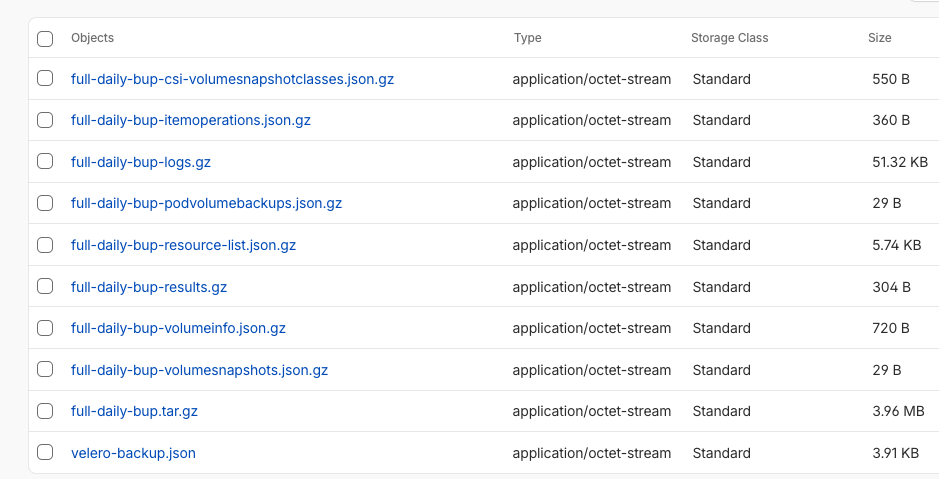
My snapshots persist across two physical machines in close proximity to one another (about half a meter at best), and are a long way off being a resilient backup for the volumes they provide.
So I'm not quite there yet... I believe the simplest option for me may be to introduce some additional logic so that I can mount the snapshots and do a file based backup to R2, but for now I'll settle for snapshots and a manual backup of the Mariadb databases that I want to keep intact.
A potential solution would be to leverage the CSI snapshot data movement system, but backing up 30GB of block storage is likely overkill for the underlying data I'm looking to manage. I may need to define a local backup location first and test out just how large this could go.
Next I hope to test out the backup and restore of a mariadb stateful instance both using snapshots and using some post-processing against a temporary snapshot.